.png)
Instructions to Import New Engagement Fields Mapping
To Import the New Engagement Fields Mapping – Front-End Integration CSV file
- Navigate to: Advanced Settings→ Data Management → Imports
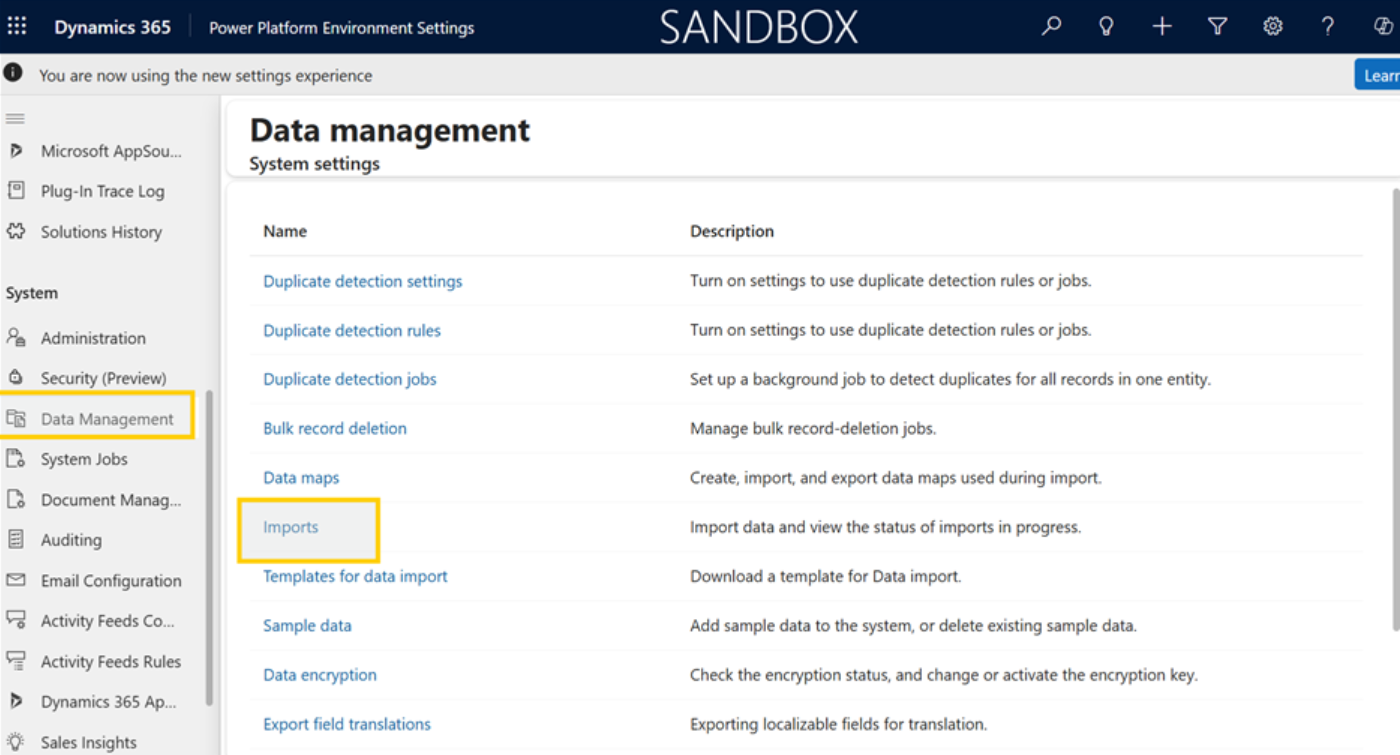
2: Now Click on Imports

- Go to: “choose file” to upload the csv file from your system and click on “Next”
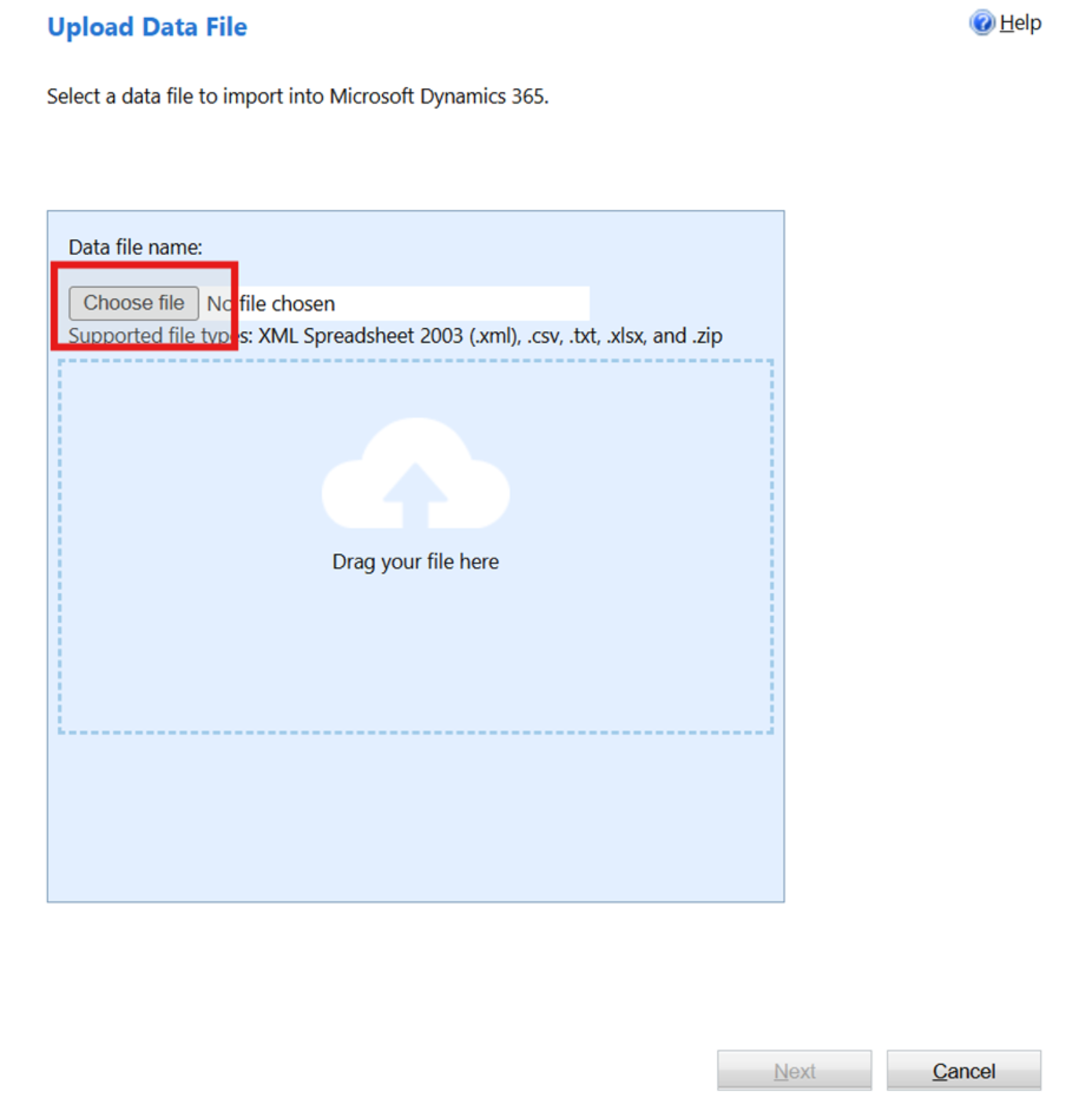
- Once you click on “Next”, Wait until the file is uploaded
3: Once file is uploaded, click on next
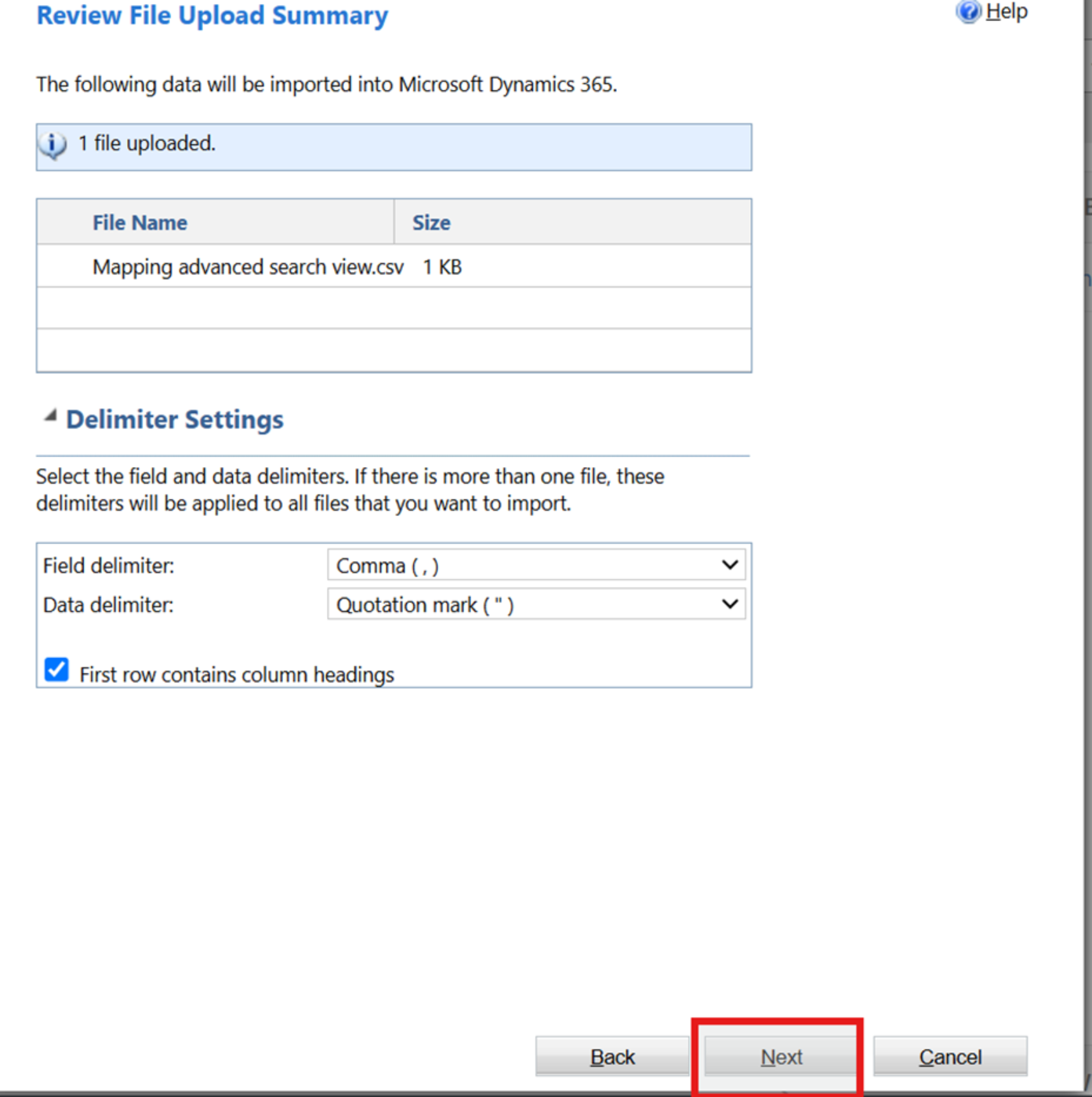
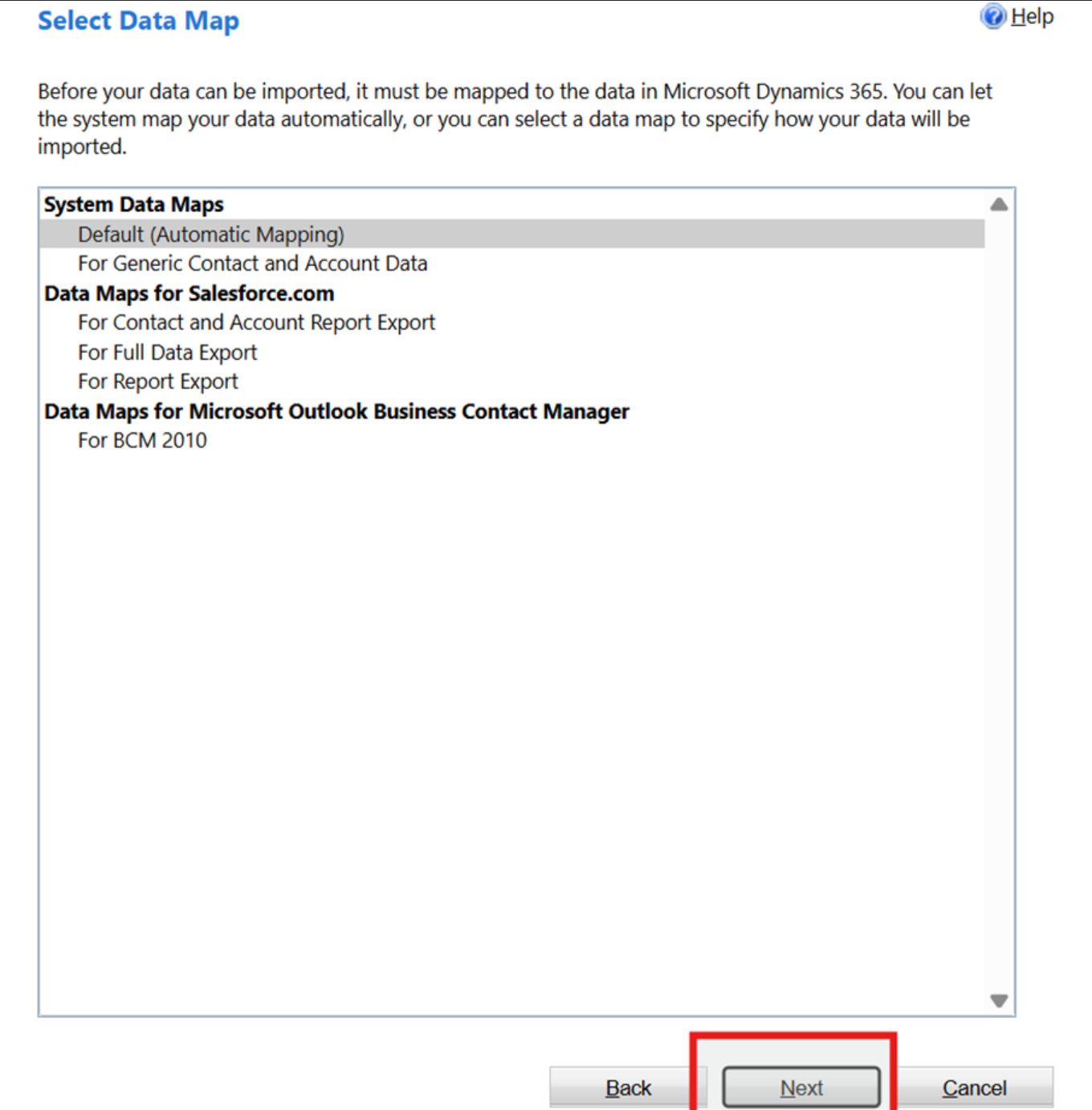
- Follow the screenshot to map the correct entity to the source data file
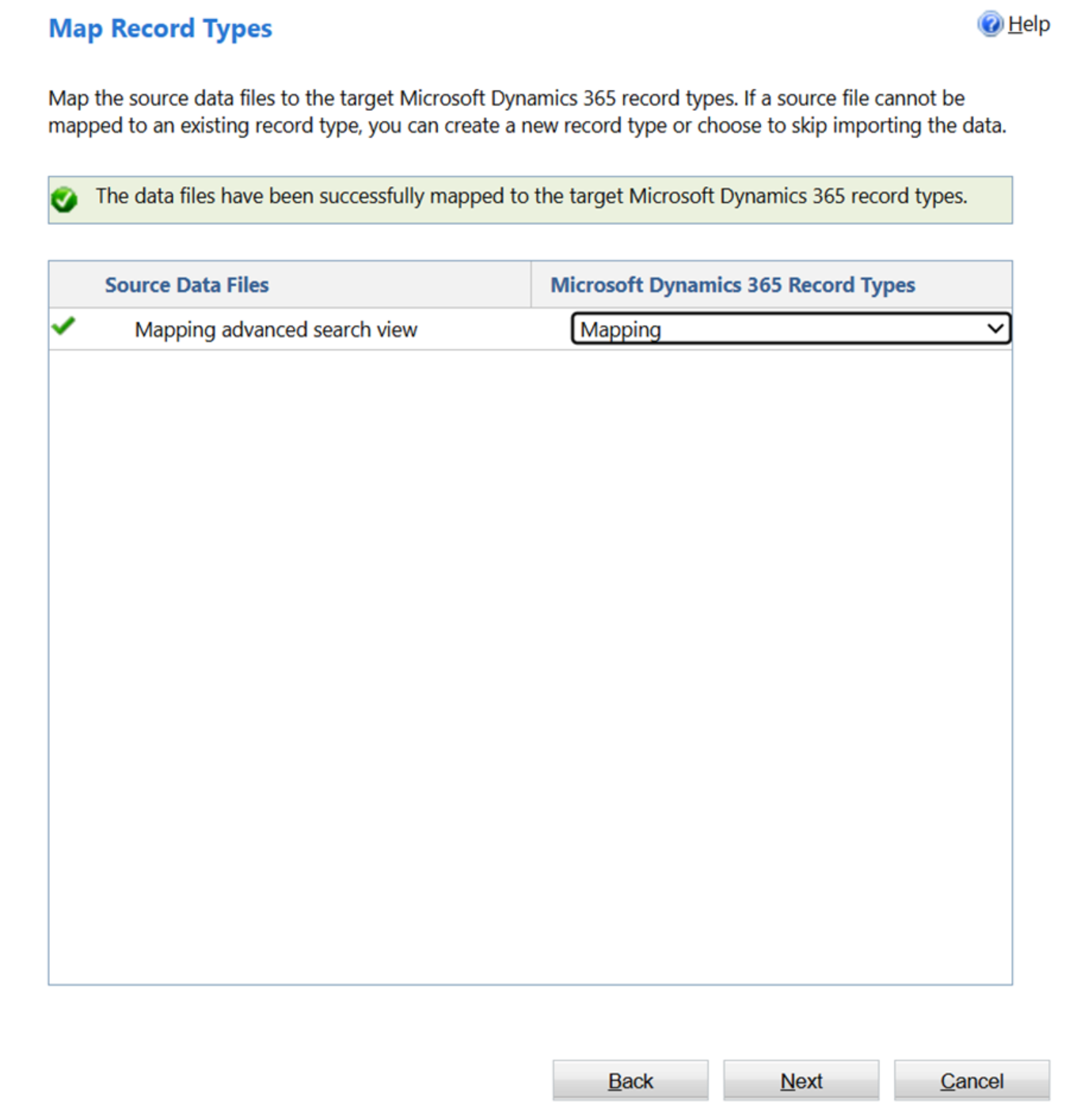
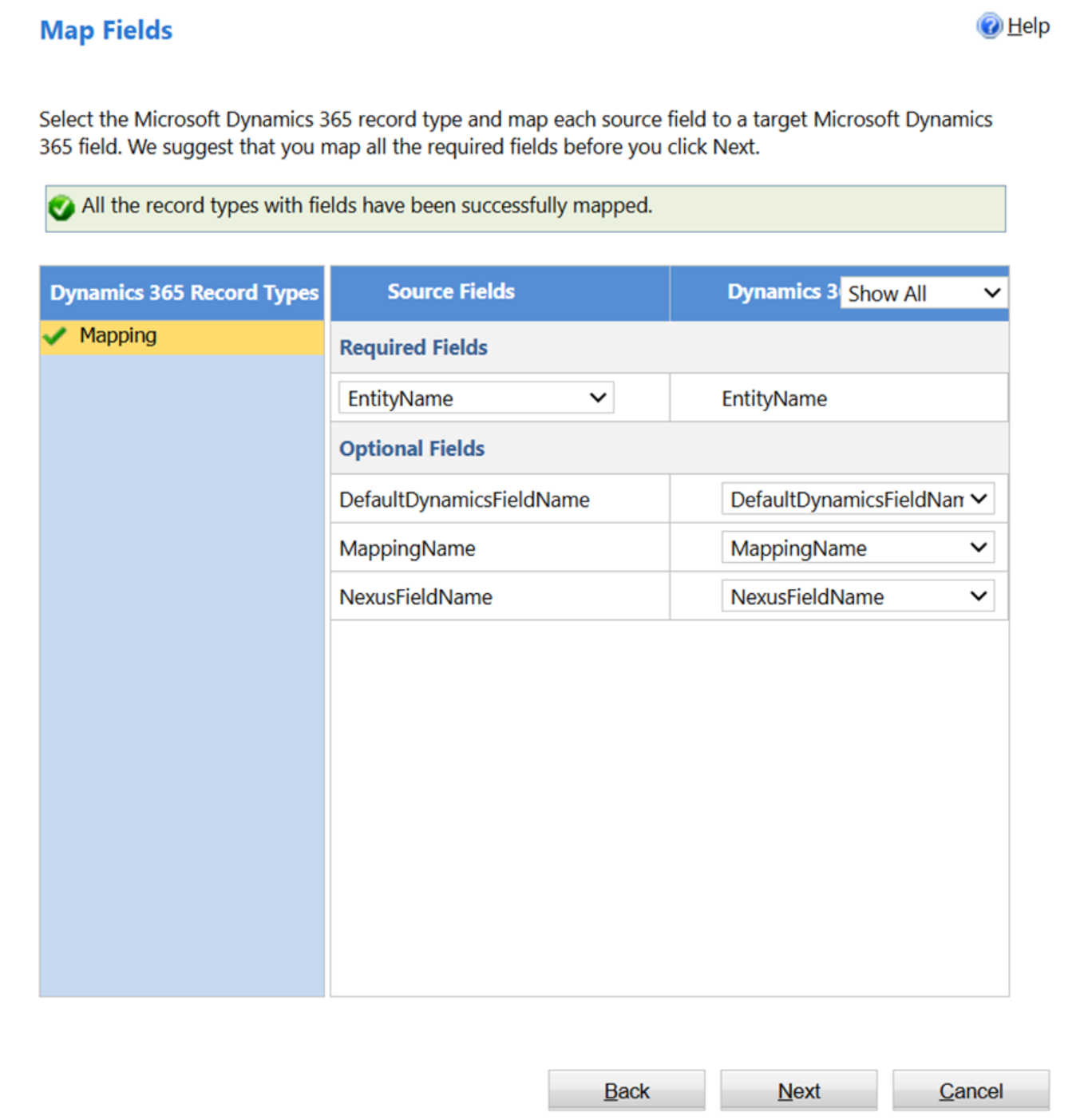
- Check if the mapping is correctly done as shown below and click next
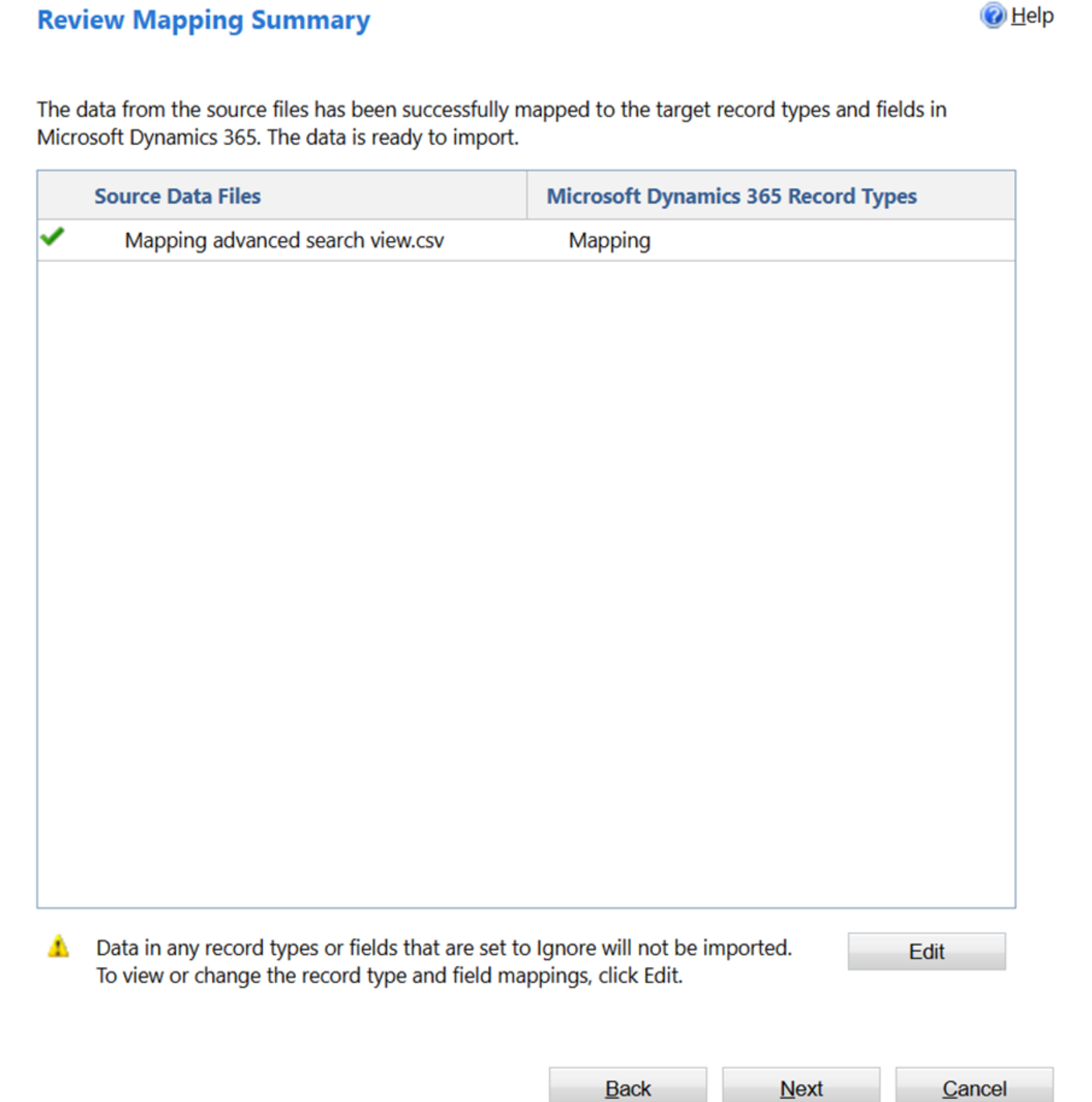
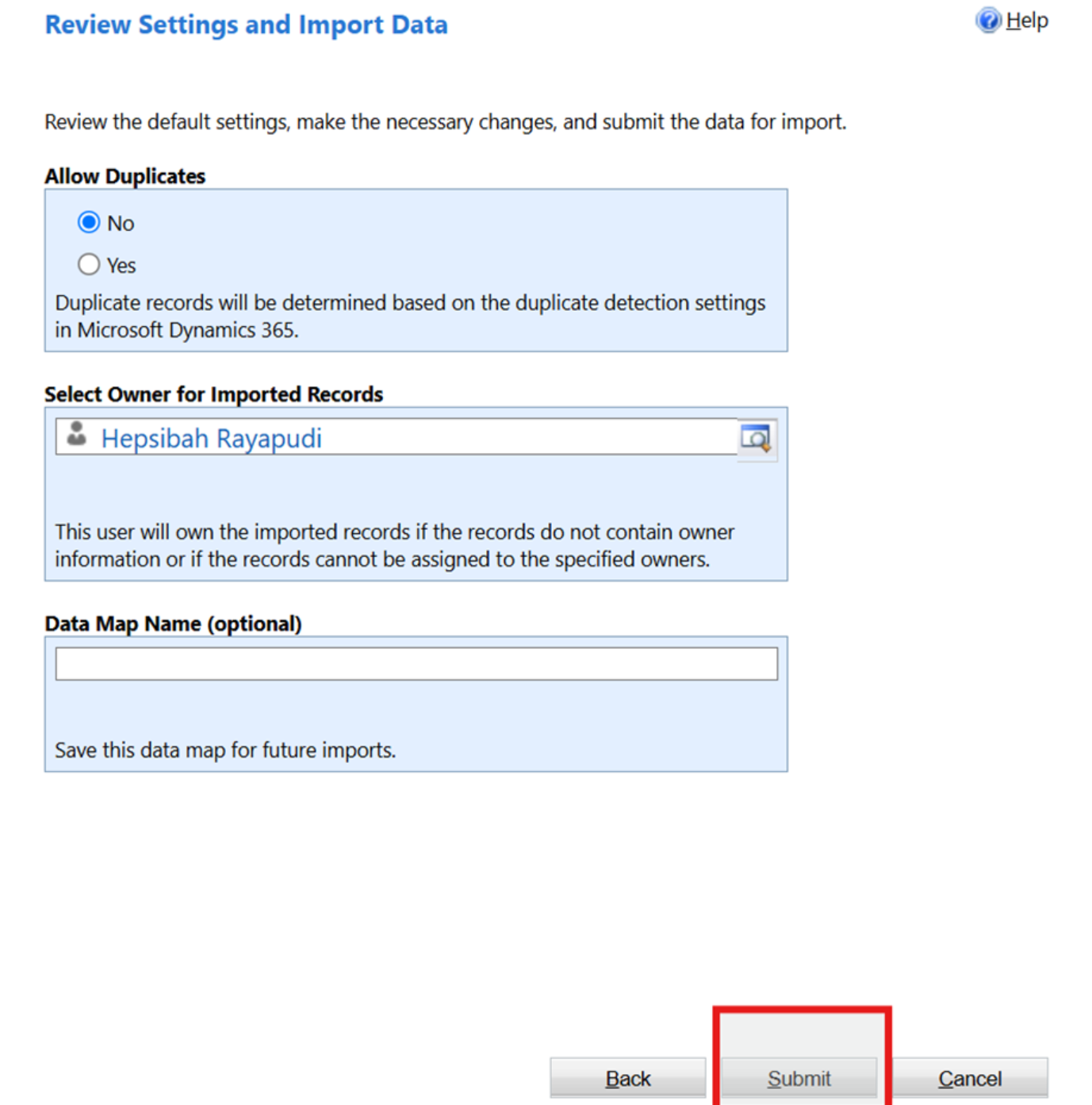
4: Once you review the mappings correctly, click on Submit button
- Once the import is done you will see as below in the imports section
